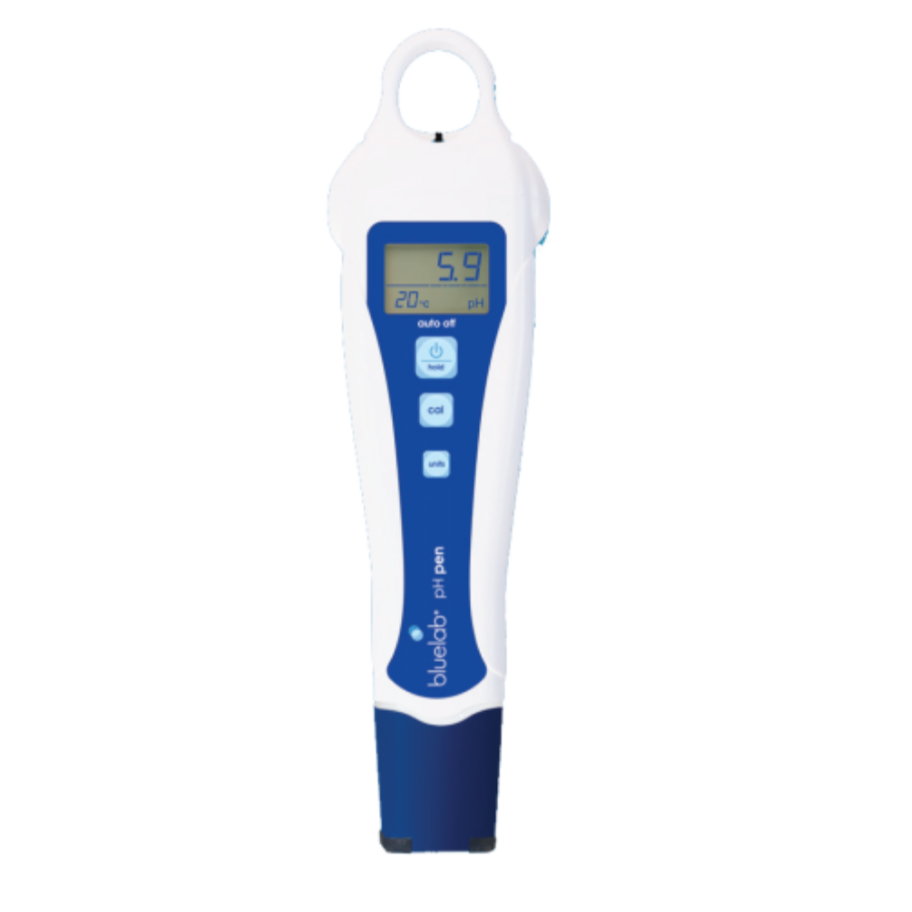
The Bluelab pH Pen is a premium handheld digital meter designed for accurate pH and temperature measurement in hydroponic systems or water testing. With a wide pH range of 0.00–14.0 and automatic temperature compensation, this pen ensures precise readings without the hassle of colour charts. Featuring a backlit LCD display, waterproof construction, and easy calibration, the Bluelab pH Pen is the trusted choice for growers who demand reliability and simplicity. Made in New Zealand and backed by a 1-year warranty, it’s an essential tool for maintaining optimal nutrient balance.
Key Features:
Accurate pH measurement – Reads 0.00–14.0 range for precise nutrient control
Measures pH and temperature – Dual functionality for complete solution monitoring
Selectable temperature units – Choose °C or °F for convenience
Backlit LCD display – Clear readings in any lighting conditions
Double junction probe – Durable design for long-term accuracy (non-replaceable)
Hold reading function – Easy data recording
Low battery indicator – Prevents unexpected downtime
Fully waterproof – Built for demanding grow environments
Automatic temperature compensation (ATC) – Ensures accurate readings regardless of solution temperature
Auto-off feature – Extends battery life
Includes calibration solutions – Buffer 4 and Buffer 7 for initial setup
Made in New Zealand – Backed by a 1-year manufacturer warranty
Calibration frequency and care
Bluelab recommends calibrating your pH Pen at least monthly. Calibrate before first use, then once the calibration tick disappears (after 30 days)
First-use preparation: Hydrate the probe tip in Bluelab pH Probe KCl Storage Solution for 24 hours, rinse with fresh water, then calibrate.
Two-point calibration checklist
Two-point calibration uses two known pH values to set the pen correctly. Use fresh pH 7.0 and pH 4.0 calibration solutions.
Make sure the probe is clean and hydrated. Rinse the tip with fresh tap water.
Place the tip in fresh pH 7.0 solution and wait for the reading to stabilise. Hold the Cal button until CAL appears, release it, then wait for the calibration sequence to finish and pH7 to display.
Rinse the tip with fresh tap water. Repeat in fresh pH 4.0 solution, waiting for the reading to stabilise before holding Cal.
Check that the calibration confirmation tick appears, then rinse the tip before measuring.
Quick pre-use checklist
Probe tip clean and kept moist in KCl storage solution?
Calibration tick showing, with no recalibration trigger listed above?
No low-battery warning? If you change the battery, recalibrate.
Rinse the tip with fresh water, submerge it in your solution and wait for the reading to stabilise before recording it.
Storage between uses
Rinse the probe after use and replace the cap securely so it clicks into place. Keep the cap’s wetting seal moist with Bluelab KCl Storage Solution; add 3–5 drops weekly and check it has not dried out. Never store or soak the probe in RO, distilled or deionised water, and never let the tip dry out. KCl is for storage and hydration, not calibration.
Included in the Box: